

LiDAR visualization tools are transforming industries by enabling precise 3D modeling, digital twin workflows, and predictive maintenance. These tools help manage assets, monitor operations, and plan changes with unparalleled accuracy. Here's a quick overview of the top options for 2025:
- Anvil Labs: Centralized platform for industrial site management; integrates LiDAR with thermal imagery, 360° photos, and more. Pricing starts at $49/project.
- Encord: Enterprise-grade tool for large-scale LiDAR annotation in robotics and autonomous vehicles. Supports sensor fusion and advanced governance.
- Deepen AI: Focused on robotics and autonomous systems; offers flexible deployment and structured annotation workflows.
- Segments.ai: Cloud-based platform for 3D and 2D labeling, ideal for robotics and autonomous vehicle projects.
- CloudCompare: Free, open-source software for 3D point cloud processing; great for research and geospatial analysis.
- LP360: GIS-integrated LiDAR tool for forestry, urban planning, and terrain modeling; works with ArcGIS and QGIS.
- LAStools: Open-source suite for fast LiDAR pre-processing, perfect for large-scale terrain studies and forestry.
These tools cater to various needs, from industrial asset management to autonomous vehicle development. Whether you require advanced sensor fusion, GIS integration, or efficient data processing, there's a solution tailored for your workflow.
Downloading NOAA Lidar and Visualizing it in CloudCompare
1. Anvil Labs

Anvil Labs serves as a centralized platform for managing industrial sites, combining LiDAR visualization with data from other sensors in a single interface. Instead of focusing only on point clouds, it provides a broader solution for asset hosting and integrating multiple data types, making it particularly useful for facility teams handling complex industrial environments.
Deployment Options
Anvil Labs is accessible via web browsers on desktops, tablets, and mobile devices, offering flexibility for both on-site and remote teams. Field teams can access reference models and measurements instantly during inspections, while remote stakeholders can review project updates without needing to travel.
The pricing starts at $99/month for the Asset Viewer and $49/project for Project Hosting, with optional data processing available at $3 per gigapixel. These options cater to various industrial workflows, aligning with the platform’s key applications.
Primary Use Cases
Anvil Labs simplifies asset monitoring and spatial analysis, focusing on industrial site management rather than preparing machine learning datasets. It’s particularly valuable for facility management companies, infrastructure inspection firms, and construction contractors. These professionals rely on the platform to maintain detailed records of site infrastructure, track changes over time, and manage collaborative projects where stakeholders require secure access to geospatial data.
The platform includes annotation and measurement tools that allow users to document asset conditions directly in 3D. These features are especially useful for creating detailed reports that combine precise measurements, visual evidence, and spatial context - critical for tasks like asset assessment, change detection, and compliance documentation.
Multi-Sensor Support
What sets Anvil Labs apart is its ability to integrate LiDAR with other sensor data, including thermal imagery, RGB photography, 360-degree photos, and orthomosaics. This multi-sensor approach allows users to connect point cloud geometry with thermal data for equipment monitoring, link photographic documentation to specific locations, and ensure spatial and temporal alignment across all data types.
For example, teams conducting thermal monitoring can overlay temperature data onto 3D models, while those managing asset documentation can attach photographic evidence to precise spatial points within the point cloud. This versatility enhances workflows for infrastructure inspections and facility management.
Key Strengths
Anvil Labs offers seamless integration with tools like Matterport, YouTube, AI-powered applications, and task management systems, streamlining workflows from visualization to analysis and project management. These integrations reduce the need for manual data transfers, making collaboration more efficient.
The platform also prioritizes security with robust access controls, allowing organizations to share 3D models and geospatial data only with authorized users. This feature is essential for industrial teams working on confidential projects or managing sensitive infrastructure.
Customizable viewing options further enhance its utility, enabling teams to create tailored visualizations for different stakeholders. Plus, its cross-device accessibility ensures that both technical experts and non-technical users can interact with the data without requiring specialized training or equipment. This makes it a versatile tool for a wide range of users.
2. Encord

Encord serves as a powerful data engine designed for enterprises tackling large-scale LiDAR annotation projects. It merges LiDAR visualization with annotations for images, videos, and text, making it a go-to choice for organizations working with sensor-heavy datasets in production settings. Its ability to handle scalable annotation needs sets it apart in these demanding environments.
Deployment Options
Encord provides flexible deployment options, including SaaS and private cloud/VPC setups. It also integrates seamlessly into existing workflows through its SDKs. To ensure data security, Encord includes governance features like SSO, RBAC, and audit logs, which are critical for managing sensitive LiDAR data.
Primary Use Cases
Encord shines in applications like autonomous vehicles and robotics, where precise sensor fusion and calibration are essential. Its structured labeling system, complete with multistage reviews and quality checks, ensures that production standards are met. This makes it particularly well-suited for high-throughput industrial documentation.
Multi-Sensor Support
Encord simplifies sensor fusion by integrating LiDAR point clouds with camera data and other multimodal assets in a single interface. Teams can work seamlessly with LiDAR data alongside RGB images, video, and text. Features like height and intensity coloring, segmentation brushes, and interpolation enhance visualization, making it easier to handle complex annotation tasks - especially in autonomous vehicle perception systems.
Key Strengths and Considerations
Encord’s intuitive and collaborative interface is built to manage vast sensor datasets while offering enterprise-grade governance. However, its LiDAR module has some limitations, such as the absence of advanced segmentation controls, field-of-view filtering, robust interpolation, and manual tracking tools. Organizations with highly specialized 3D customization needs should carefully assess if these limitations align with their requirements.
3. Deepen AI
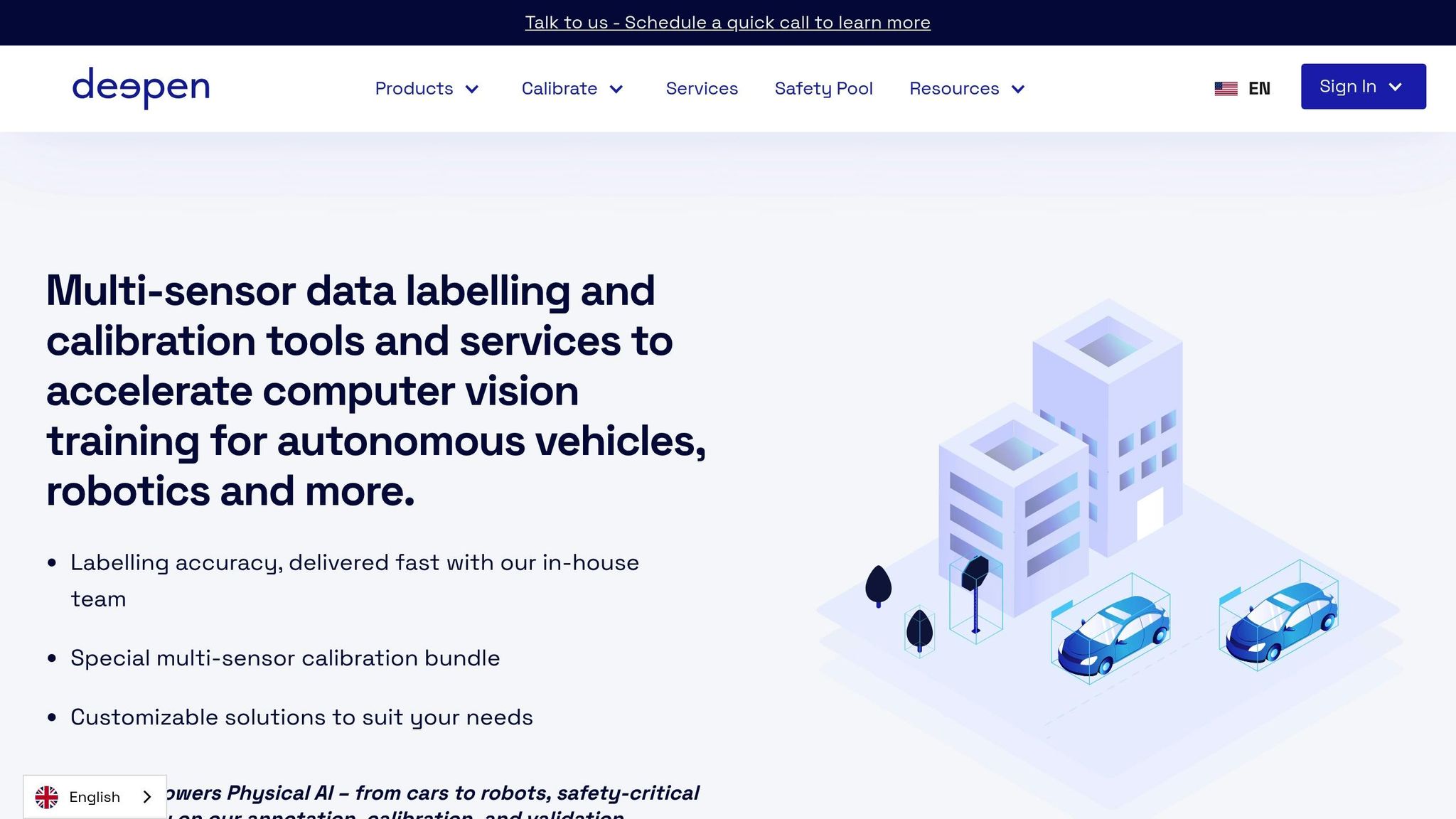
Deepen AI is a platform designed to handle LiDAR annotation and visualization, primarily for autonomous driving and robotics. It's built to prioritize ease of use, accuracy, and calibration, making it especially useful for teams developing perception systems where precision is non-negotiable.
Deployment Options
Deepen AI provides flexible deployment options to cater to enterprise needs. Whether through cloud SaaS, on-premise setups, or hybrid models, organizations can choose what works best for their security and compliance requirements. For instance, sensitive LiDAR data can be stored locally while leveraging the cloud for annotation tasks. This setup not only addresses concerns about data sovereignty but also allows teams to benefit from the collaborative features of cloud-based platforms.
Primary Use Cases
The platform shines in areas like autonomous vehicle development, robotics, and industrial AI tasks that demand structured LiDAR labeling. It specializes in annotating critical elements such as vehicles, pedestrians, roads, and lane markings - essential for applications like real-time obstacle detection and spatial analysis. Its scalability ensures smooth handling of large LiDAR datasets, reducing workflow bottlenecks and keeping projects on track.
Multi-Sensor Support
Deepen AI integrates RGB data with other sensor inputs into a single, cohesive interface. Features like advanced distance and field-of-view filters, along with dual projection modes, ensure precise sensor alignment. This level of accuracy is crucial for building reliable perception models. The platform's sensor fusion capabilities are further strengthened by its specialized annotation toolkit, making it a robust choice for complex projects.
Key Strengths and Limitations
Deepen AI offers a comprehensive 3D labeling toolkit, including tools for cuboids, polylines, polygons, and segmentation, paired with strong calibration support for multi-sensor alignment. However, it does have some limitations. For example, it lacks advanced features like static object tracking, and its point cloud segmentation capabilities are less developed compared to some niche competitors. Teams with highly specific needs in these areas may need to assess whether these gaps could affect their workflows.
4. Segments.ai

Segments.ai is a labeling platform tailored for computer vision engineers, particularly those working in robotics and autonomous vehicle development. Its standout feature is its ability to handle multi-sensor datasets, making it a strong choice for perception system development.
Deployment Options
Segments.ai operates as a cloud-based SaaS platform, allowing users to upload data, manage labeling workflows, and collaborate entirely online. It offers a free trial and demo, so teams can explore its features before committing to a subscription. This cloud-based approach makes it accessible to teams of all sizes. However, organizations with specific data residency or compliance requirements may need to assess whether this model aligns with their needs.
Primary Use Cases
The platform is widely used by robotics and autonomous driving companies. It specializes in 3D point cloud annotation, handling both moving and stationary objects with ease, regardless of the dataset size. With features like merged 3D, batch, and automated tracking modes, the platform streamlines annotation processes for large datasets.
One of its standout features is the ability to simplify 2D labeling using 3D data. Instead of manually drawing bounding boxes across multiple 2D images, users can draw a single cuboid in a 3D point cloud, which is then projected onto all relevant images. This approach saves significant time and effort, especially when working with sequences from multiple camera angles. Additionally, Segments.ai integrates machine learning-assisted models for image segmentation, enabling teams to identify shapes more efficiently. This blend of 3D and 2D data creates a smoother, more accurate labeling process.
Multi-Sensor Support
Segments.ai excels at combining 3D point cloud data (LiDAR) with 2D image data (RGB) in a unified interface. Labelers can view both data types side by side, gaining additional context that enhances accuracy and consistency. The platform's advanced automation allows users to project and copy labels from 3D sensors to 2D sensors, ensuring uniform annotations across different modalities and time sequences.
"Segments.ai had all the features required for us to label our images and point clouds, such as overlaying 3D point clouds onto 2D images."
- Sarina H., Robotics Software Engineer, OCIUS Technology Limited
This seamless integration of LiDAR and camera data addresses a key challenge in perception system development: maintaining consistency across diverse data types. By enabling teams to work within a single workflow, Segments.ai minimizes misalignment risks and ensures accurate annotations across all inputs.
Key Strengths
Segments.ai’s ability to handle multi-sensor labeling efficiently, combined with its automated projection tools, makes it a powerful option for managing complex datasets. Its features, such as automated tracking and consistent ID management across time sequences, are particularly beneficial for robotics and autonomous vehicle applications. The platform’s focus on integrating 3D and 2D data ensures teams can maintain productivity, even when working with large-scale datasets.
sbb-itb-ac6e058
5. CloudCompare
CloudCompare is a free and open-source software designed for 3D point cloud processing and visualization. It offers powerful tools for point cloud analysis, manipulation, and visualization without the expense of enterprise licensing. With its modular setup, users can pick and choose the features they need, making it a versatile option for professionals with varying levels of expertise. This flexibility also extends to how the software can be deployed, catering to a broad range of user needs.
Deployment Options
CloudCompare is available for download at no cost, with no licensing fees or subscriptions required. It works on Windows, macOS, and Linux, but as a desktop-based application, it needs to be installed locally. This local processing setup ensures that organizations maintain full control over their data, which can be a major advantage for teams with strict data residency requirements or those working in areas with limited internet access. While it doesn’t include the collaborative features often found in cloud-based platforms, its offline functionality makes it ideal for specific workflows.
Primary Use Cases
CloudCompare is widely used across industries such as geospatial analysis, environmental monitoring, forestry management, urban planning, and infrastructure development. It’s particularly effective for tasks like terrain modeling, detecting changes over time, and monitoring asset conditions. The software can handle large-scale surveys efficiently, making it a go-to for surveying and civil engineering projects that demand precise point cloud registration, segmentation, and measurement. Academic and research institutions, as well as smaller firms, also benefit from its advanced features without incurring any costs.
Multi-Sensor Support
Although CloudCompare is primarily focused on LiDAR point cloud processing, it also supports RGB point clouds and works with a variety of file formats, including LAS, LAZ, E57, and PLY. However, it doesn’t natively offer multi-sensor fusion for data like thermal imagery or 360° photos. For organizations that need to integrate LiDAR data with other sensor types, additional tools or workflows may be necessary. While plugin extensions can expand its capabilities, they often require more manual effort compared to platforms with built-in automation for multi-modal data processing.
Key Strengths
CloudCompare’s efficiency and modular design are among its biggest advantages. Its lightweight structure allows it to process large LiDAR datasets without the need for high-end hardware or server infrastructure, making it an excellent choice for organizations managing extensive geographic surveys or multiple projects simultaneously. The software is backed by a vibrant open-source community that provides detailed documentation, tutorials, and forums, ensuring regular updates and support at no extra cost. Its precision tools for tasks like terrain modeling, change detection, and infrastructure monitoring deliver results that meet professional standards. Additionally, its open-source nature allows users to customize the software and develop plugins, tailoring it to their specific needs without being tied to a single vendor.
6. LP360
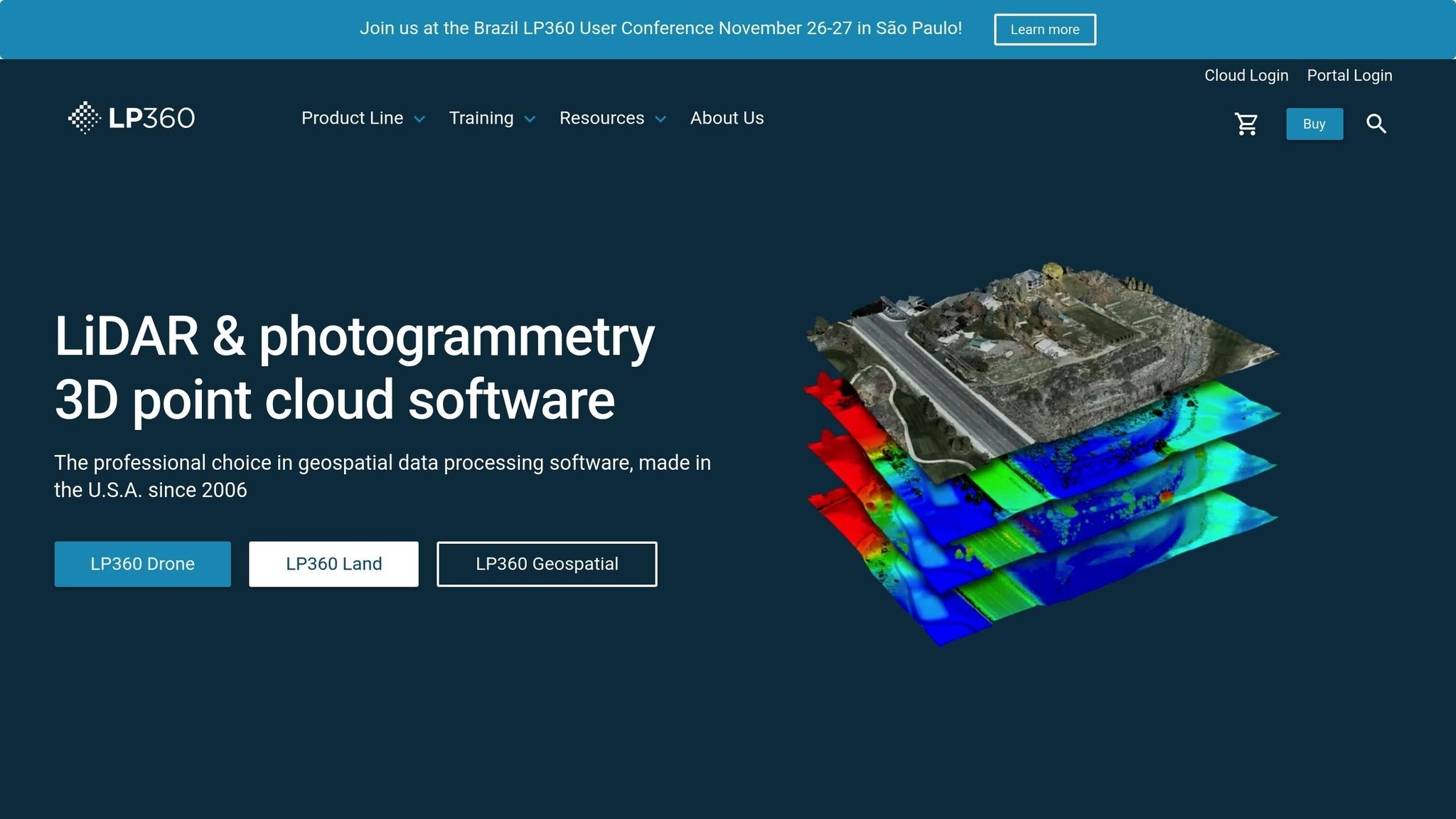
LP360 is a LiDAR processing software designed for geospatial professionals, seamlessly integrating with GIS platforms like ArcGIS and QGIS. This integration allows users to process point cloud data directly within their familiar workflows, making it an ideal choice for organizations that want to enhance their GIS capabilities without overhauling existing systems. By bridging LiDAR processing with GIS tools, LP360 supports smooth transitions from data collection to analysis, aligning with broader geospatial strategies like digital twin development.
Deployment Options
LP360 offers deployment options tailored to different needs and security requirements. It is available as a locally installed desktop application, perfect for on-premises workflows. For those leveraging cloud-based GIS platforms, LP360 integrates directly with these systems, enabling scalability while maintaining established processes. Additionally, the software includes versions designed for drone-specific workflows, ensuring it can meet the demands of various industries and applications.
Primary Use Cases
LP360 serves a wide range of industries, offering tools for diverse geospatial tasks:
- Forestry Management: Analyze vegetation and calculate forest inventory.
- Urban Planning: Visualize infrastructure and assess land use.
- Engineering and Construction: Perform site analysis and volumetric calculations.
- Environmental Monitoring: Create elevation models, contour maps, and detect terrain changes.
These capabilities make LP360 a versatile tool for projects that require precise terrain modeling, ground classification, and environmental analysis.
Data Format and Unit Support
The software supports industry-standard LiDAR formats like LAS and LAZ, ensuring compatibility with most commercial datasets. It accommodates both imperial units, commonly used in U.S. surveying, and metric units for international projects. This flexibility, combined with its integration with ArcGIS and QGIS, allows users to seamlessly combine LiDAR data with other geospatial datasets in a single environment.
Key Strengths
LP360 shines in its ability to integrate with established GIS systems. Users can easily import point cloud data into existing GIS projects, apply advanced processing tools, and export results in standard formats - eliminating the hassle of data conversion. Its intuitive graphical interface simplifies complex LiDAR processing tasks, making it accessible to both experienced professionals and newcomers. Whether it's ground classification, creating digital elevation models (DEMs), or performing volumetric analysis, LP360 supports an entire project workflow while complementing existing investments in ArcGIS or QGIS. This combination of flexibility and power makes it a go-to solution for geospatial professionals.
7. LAStools
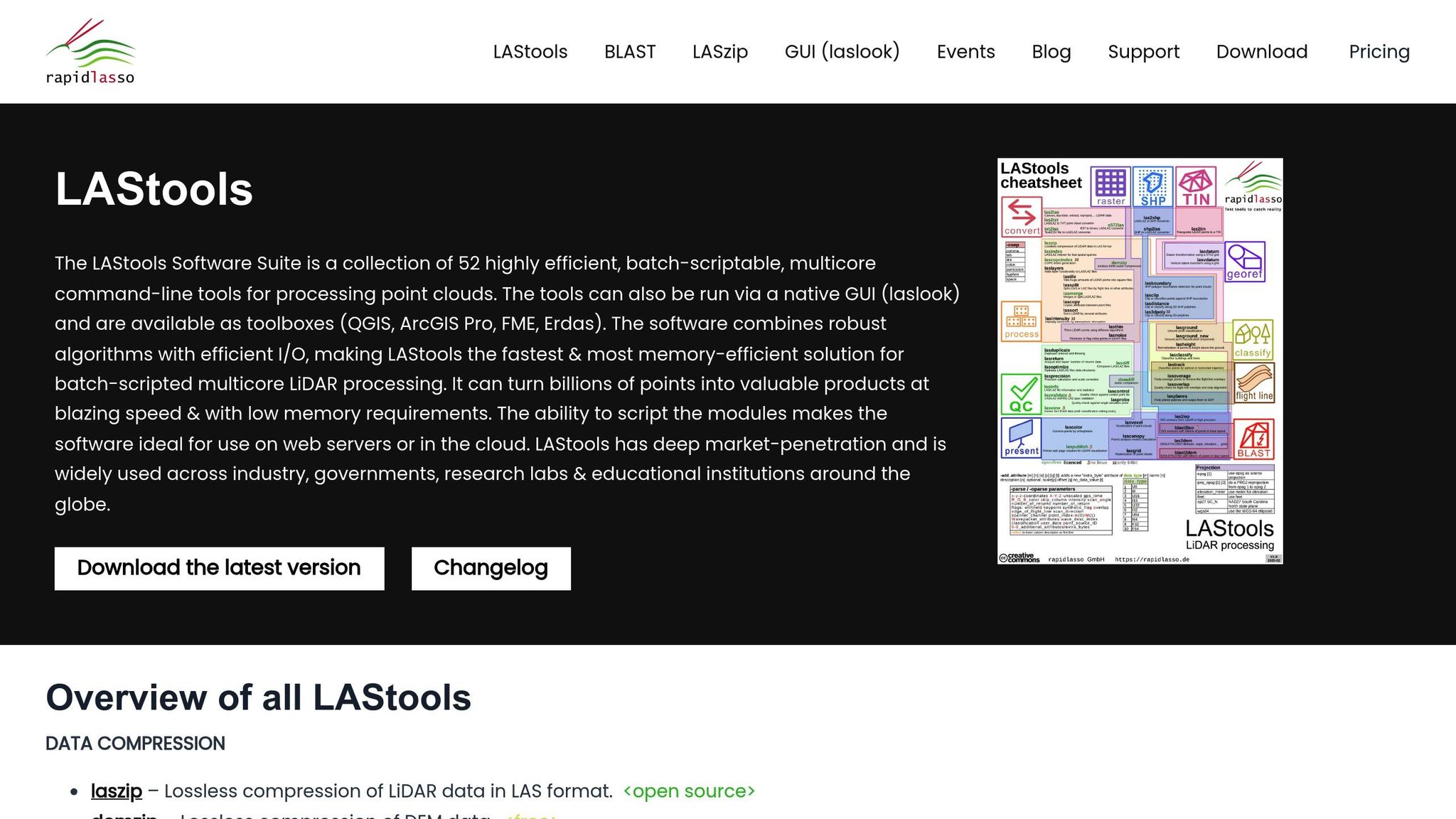
LAStools stands out by prioritizing rapid and efficient LiDAR pre-processing. Unlike tools that emphasize visualization or multi-sensor integration, LAStools is a specialized open-source suite designed to clean, filter, and classify raw LiDAR data quickly. Its lightweight, command-line structure allows professionals to process large datasets efficiently, making it an essential choice for scenarios where speed and precision are critical. This streamlined approach also supports seamless local deployment and custom automation, as detailed below.
Deployment Options
LAStools is a desktop-based, open-source solution that users can install and run directly on their local machines. This setup gives organizations full control over their workflows and data, bypassing the need for cloud services or subscription fees. Compatible with both Windows and Linux, the software adapts to a variety of IT environments. Its command-line interface is particularly useful for automating repetitive tasks, enabling teams to create tailored workflows that enhance efficiency.
Primary Use Cases
LAStools caters to professionals in fields like environmental monitoring, urban planning, and forestry management. For example:
- Forestry: It helps analyze forest structures and calculate biomass by separating vegetation from ground points.
- Urban Planning: The tool is used to assess terrain and building heights, aiding in infrastructure development.
- Environmental Research: Researchers rely on LAStools for landscape analysis and detecting changes across large areas.
Key tasks include ground classification for terrain studies, vegetation filtering for environmental assessments, and creating digital elevation models (DEMs) for infrastructure projects. Its ability to handle massive datasets efficiently makes it an excellent choice for regional-scale projects, where time and cost savings are paramount.
Multi-Sensor Support
While many platforms handle data from multiple sensors, LAStools focuses exclusively on LiDAR, which is a strength for teams needing dedicated, efficient point cloud processing. It supports LAS and LAZ file formats - industry standards for LiDAR data. The LAZ format, a compressed version of LAS, reduces file sizes while maintaining data quality. This ensures efficient storage and processing without sacrificing performance.
Key Strengths
LAStools is known for its speed and resource efficiency. It’s optimized to handle massive point clouds containing millions or even billions of points, all without requiring high-end server infrastructure.
Its modular design allows users to pick and choose tools tailored to their needs, keeping workflows simple and efficient. Experienced users can craft advanced workflows, while beginners can start with the basics and expand their capabilities over time.
The tool’s format flexibility ensures smooth integration with virtually any LiDAR sensor or processing pipeline. Whether working with compressed LAZ files to save storage or uncompressed LAS files for faster processing, LAStools eliminates the need for time-consuming data conversions that could compromise accuracy.
For teams focused on speed, compatibility, and affordability, LAStools offers a practical solution. Its open-source nature eliminates hefty licensing fees, making it an economical choice for specialized applications like forestry, environmental studies, and geospatial research. By concentrating on pre-processing rather than visualization, LAStools has become a vital component of efficient LiDAR workflows.
Tool Comparison Table
Selecting the best LiDAR visualization tool hinges on your specific workflow and project needs. The seven tools discussed here cater to a variety of industries, from enterprise-grade platforms to specialized processing tools for niche applications.
Below is a side-by-side comparison of these tools based on four key factors: deployment options, primary use cases, multi-sensor support, and their standout features.
| Tool | Deployment Options | Primary Use Cases | Multi-Sensor Support | Key Strengths |
|---|---|---|---|---|
| Anvil Labs | Cloud-based with cross-device accessibility | Asset management, infrastructure inspection, construction progress tracking, utility grid management | Supports 3D models, 360° photos, thermal imagery, LiDAR, orthomosaics | Comprehensive platform for industrial site management; integrates with Matterport, YouTube, and AI tools; 75% faster inspections; detects 30% more defects; $49/project pricing |
| Encord | SaaS and private cloud/VPC with enterprise governance | Autonomous vehicles, robotics, large-scale annotation workflows | LiDAR integration with camera and multimodal assets; synchronized fusion scenes | Model-assisted labeling with active learning; automated edge-case routing; multi-stage reviews with IoU thresholds; strong enterprise governance and audit logs |
| Deepen AI | Hybrid SaaS (local data, cloud annotations) and on-premise | Robotics, autonomous vehicles, industrial AI projects | RGB point clouds and fused clouds for tracking | Structured labeling environment; calibration with perspective/orthographic modes; balances usability and precision; minimal learning curve |
| Segments.ai | Cloud-based SaaS | Autonomous vehicle projects, robotics workflows with sequential 3D datasets | Multi-sensor editor views; maintains track IDs across modalities and time | Fast cuboid and segmentation tools; 3D–2D projection in one click; automatic object tracking and interpolation; Python SDK integrations; clean, production-ready UI |
| CloudCompare | Desktop-based, open-source (Windows, Linux, macOS) | Geospatial analysis, research, academic projects | Limited; primarily point cloud-focused | Free and open-source; flexible for experts; extensive measurement and comparison tools; no licensing fees |
| LP360 | Desktop-based with cloud integration options | Forestry management, urban planning, GIS workflows | Limited; primarily LiDAR-focused | Integrates with ArcGIS and QGIS; user-friendly for all skill levels; specialized tools for forestry and terrain analysis |
| LAStools | Desktop-based, open-source (Windows, Linux) | Environmental monitoring, forestry management, large-scale terrain studies | LAS and LAZ file formats only; LiDAR-exclusive | Optimized for speed and efficiency; modular design for custom workflows; processes billions of points without high-end hardware; no licensing fees |
Each tool brings unique strengths to meet different operational challenges. For example, Anvil Labs stands out for its industrial ROI, as highlighted by Angel Rojas of Red Angel Drones:
"The software's efficient workflow delivers clear ROI from the outset."
For teams working on autonomous vehicle or robotics projects, Encord and Segments.ai excel with their automated annotation and sensor fusion capabilities. Meanwhile, organizations handling sensitive data may gravitate toward Deepen AI, which keeps raw data stored locally while leveraging cloud-based annotation.
Budget-conscious users or academic researchers might find CloudCompare or LAStools appealing. Both are free, open-source tools that deliver powerful functionality but require more technical expertise. However, these desktop-based options lack the collaborative and real-time features of cloud platforms.
When it comes to multi-sensor support, Anvil Labs leads the pack with its ability to handle thermal imagery, orthomosaics, and LiDAR, making it ideal for infrastructure inspections requiring multiple data perspectives. On the other hand, LAStools focuses solely on LiDAR, offering unmatched efficiency for high-volume point cloud workflows.
Ultimately, your choice should align with your priorities - whether it's annotation speed, sensor fusion, data governance, cost, or processing power. Industrial teams managing complex assets will likely benefit most from Anvil Labs, while autonomous vehicle projects may lean toward Encord or Segments.ai for their specialized annotation capabilities.
Conclusion
Selecting the right LiDAR tool depends on your specific industrial needs. Whether it's asset management, high-volume data processing, or specialized applications, there's a tool designed to meet those demands.
Anvil Labs stands out for industrial site management, offering multi-sensor support, cross-device accessibility, and a straightforward pricing model of $49 per project. Its ability to handle various data types - such as thermal imaging, orthomosaics, and LiDAR - makes it a strong choice for comprehensive asset tracking.
For projects involving autonomous vehicles or robotics, tools like Encord, Deepen AI, and Segments.ai excel with features like multi-modal sensor fusion and automated labeling. These capabilities reduce manual effort and help speed up development timelines.
If you're comfortable with more technical setups and don't require real-time collaboration, CloudCompare and LAStools provide robust, open-source solutions at no cost. For those already using GIS platforms, LP360 offers seamless integration with ArcGIS or QGIS, making it a practical choice for GIS-focused workflows.
LiDAR tools are also evolving to integrate with digital twin platforms and IoT dashboards, enabling real-time monitoring and scenario planning without the need for physical site visits. This shift from reactive to predictive management is transforming industrial operations across sectors.
Ultimately, choose a tool that complements your workflow and addresses your specific challenges. Whether you need Anvil Labs for all-in-one management, Encord or Segments.ai for autonomous system development, or LAStools for efficient point cloud processing, focus on solutions that align with your project goals, budget, and integration needs. Avoid chasing features that don’t directly contribute to your operational success.
FAQs
How can LiDAR visualization tools combine data from different sensors to improve industrial site management?
LiDAR visualization tools, like those developed by Anvil Labs, are designed to work effortlessly with a wide range of sensor data. By blending LiDAR with formats like 3D models, 360-degree photos, thermal imagery, and orthomosaics, these tools create an in-depth view of industrial sites.
This combination makes spatial analysis more precise, supports better decision-making, and streamlines site management. For instance, integrating thermal imagery with LiDAR data can pinpoint overheating equipment, while 360-degree photos add valuable on-the-ground context for remote inspections. These tools bring together multiple data types into a single platform, delivering clear, actionable insights.
What should I consider when choosing a LiDAR visualization tool for autonomous vehicle projects?
When choosing a LiDAR visualization tool for autonomous vehicle development, there are a few critical elements to consider:
- Data compatibility: Make sure the tool can handle the specific LiDAR formats and datasets your project relies on. This ensures a smooth workflow without the need for constant data conversions.
- Visualization features: Opt for tools that offer advanced functionalities like 3D modeling, point cloud rendering, and real-time interaction. These features make it easier to analyze and interpret complex data.
- Integration flexibility: Select a platform that works seamlessly with your existing software, hardware, and workflows. Compatibility with your current setup can save time and reduce headaches.
It's also worth focusing on tools that provide secure data sharing, accessibility across devices, and the performance needed to handle large-scale projects in autonomous vehicle development. These factors will help ensure the tool meets the rigorous demands of your work.
How do LiDAR visualization tools enhance predictive maintenance and digital twin workflows in industrial environments?
LiDAR visualization tools play a crucial role in improving predictive maintenance and digital twin workflows. They provide highly precise spatial analysis and integrate real-time data, helping to spot potential problems early. This proactive approach minimizes downtime and lowers maintenance expenses.
With the ability to create detailed 3D models of industrial sites, these tools enhance planning, monitoring, and decision-making processes. They also simplify operations by offering handy features like annotation, measurement capabilities, and cross-device access, making it easier to handle complex tasks with greater efficiency.

.svg)


