

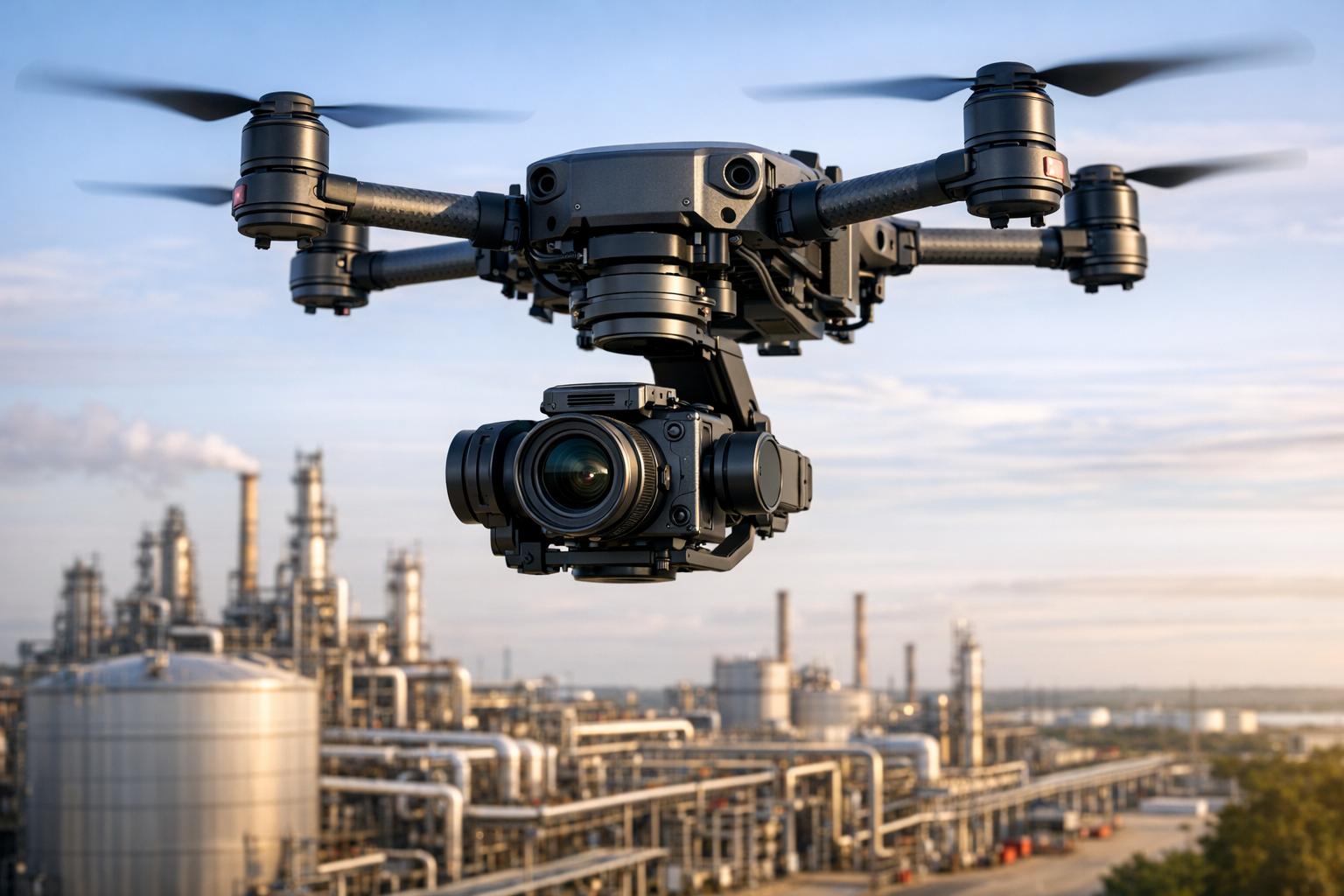
In drone inspections, a gimbal is critical for stable, clear footage. The right choice ensures accurate data collection, reduces re-flights, and lowers costs. Here's what matters most:
- Stabilization: Professional 3-axis gimbals provide smooth footage by countering pitch, roll, and yaw movements. Look for precision levels of ±0.01° to ±0.02° for detailed tasks like spotting cracks or thermal anomalies.
- Payload Capacity: Match the gimbal's weight limit with your camera or sensor setup. Overloading can cause shaky footage and strain motors.
- Durability: For fieldwork, prioritize gimbals with high IP ratings (e.g., IP55 or IP67) to resist dust, water, and extreme weather.
- Application-Specific Features: Thermal imaging requires radiometric sensors and high refresh rates, while structural inspections benefit from optical zoom and precise stabilization.
Key takeaway: A professional-grade 3-axis gimbal tailored to your inspection needs ensures stable, reliable, and efficient operations.
How To Check Drone Gimbal Performance?
What to Look for When Selecting a Gimbal

2-Axis vs 3-Axis Gimbal Comparison for Drone Inspections
Now that we've covered the importance of stability, let’s dive into the key technical factors to consider when choosing a gimbal.
When selecting a gimbal for industrial inspections, you need to carefully weigh stabilization performance, payload capacity, and axis configuration. Each of these elements plays a crucial role in ensuring your data is accurate and reliable - without risking expensive re-flights.
Stability and Vibration Control
At the heart of every gimbal is an IMU (Inertial Measurement Unit). This device constantly monitors pitch, roll, and yaw, while brushless motors respond instantly to counteract unwanted movement, keeping your footage steady.
Industrial-grade gimbals are judged by their control precision. For example, high-end models like the Airmobi A40TR Pro boast stabilization accuracy of ±0.01°. This level of precision is critical for detecting issues like hairline cracks or subtle thermal anomalies. To ensure peak performance, always use the built-in calibration tools before each flight - this prevents problems like "horizon tilt", which can compromise your data.
Some advanced gimbals go a step further with onboard electronic stabilization and AI auto-tracking. These features allow the gimbal to lock onto and follow specific targets, even during dynamic flight conditions. Models like the Trillium HD80, for instance, consume around 25W on average but can peak at 100W during intense stabilization tasks.
Payload and Load Capacity
The payload capacity of a gimbal determines the maximum weight it can handle while maintaining stable performance. Exceeding this limit can lead to shaky footage and strain the motors. Payloads for commercial drones vary widely, from as little as 150g (5.3 oz) to as much as 67 lbs (30 kg). However, it’s not just about staying under the maximum limit - you’ll get the best results by matching your camera to the gimbal's optimal weight range.
Weight also affects the drone’s flight dynamics. A heavy gimbal on a smaller drone can disrupt balance, reduce flight time, and make maneuvering more difficult. Additionally, mounted payloads shift the drone’s center of gravity, influencing how it handles pitch, yaw, and roll. For setups involving multiple sensors - like dual EO/IR systems - a robust 3-axis gimbal is essential for maintaining stability, especially in windy conditions.
Consider this example: In 2023, Mistras Group used the Voliro T drone equipped with an ultrasonic transducer to inspect a 180 ft flare stack in under two hours. They collected over 200 thickness measurements, a task that would typically require extensive scaffolding. Similarly, Bilfinger used the same drone to complete a stack inspection in just 1.5 days, compared to the usual 25 days, saving over $165,000 in labor and equipment costs.
Beyond weight, the gimbal’s axis configuration plays a key role in ensuring data quality.
2-Axis vs. 3-Axis Gimbals
Gimbals come in two main configurations: 2-axis and 3-axis. Here’s how they differ:
- 2-axis gimbals stabilize pitch (up/down) and roll (side-to-side) movements. They’re lighter, more affordable, and use less power, but they lack yaw stabilization. This can lead to shaky footage during turns or in windy conditions.
- 3-axis gimbals, on the other hand, add yaw stabilization, eliminating the "jello" effect and unwanted vibrations that 2-axis systems can’t handle. This makes them ideal for professional-grade applications like thermal imaging, structural assessments, and 3D modeling.
| Feature | 2-Axis Gimbal | 3-Axis Gimbal |
|---|---|---|
| Stabilized Axes | Pitch, Roll | Pitch, Roll, Yaw |
| Weight | Lighter | Heavier |
| Power Draw | Lower | Higher (requires 3rd motor) |
| Best Use Case | Hobbyist, basic tasks | Professional inspections |
For industrial inspections, the added weight and cost of a 3-axis gimbal are worth it. They reduce the need for re-flights and ensure higher-quality data, making them the go-to choice for serious applications. These technical considerations will help you match the right gimbal to your specific inspection needs.
Matching Gimbals to Inspection Applications
Choosing the right gimbal for specific inspection tasks is crucial. Each type of inspection - whether thermal surveys or structural assessments - requires tailored capabilities to ensure accurate data collection and avoid costly mistakes.
Thermal Imaging and Infrared Inspections
When it comes to thermal inspections, 3-axis stabilization is a must. It counteracts aircraft movement, delivering clear heat signatures that are critical for analysis. For professional-level thermal imaging, radiometric sensors are indispensable. Unlike basic heat mapping, radiometric sensors capture temperature data for every pixel, allowing precise identification of issues like faulty electrical components or insulation gaps.
Thermal sensitivity, measured in milliKelvin (mK) as NETD (Noise Equivalent Temperature Difference), plays a key role in detecting subtle temperature differences. Even a small change of 10 mK can significantly impact image clarity. Modern drone-mounted thermal cameras now offer up to 1280×1024 resolution with an accuracy margin of ±5°C or 5%.
Infrared cameras require lenses made of germanium, as standard glass blocks infrared radiation. To maintain accuracy, annual calibrations are essential. For dynamic inspections, such as monitoring heat loss in moving machinery, a refresh rate of 30Hz is preferable over 9Hz to minimize motion blur.
This level of precision is just as vital in other inspection types, where sensor integration and optical clarity are equally critical.
Structural and Roof Assessments
Structural inspections, whether for bridges, towers, or roofs, demand gimbals with high optical zoom and precise stabilization. Spotting tiny issues like hairline cracks, missing bolts, or corrosion from a safe distance often requires zoom ranges between 30× and 200×, combined with stabilization accuracy of ±0.01° to ±0.02°. This ensures that even at maximum zoom, images remain sharp enough for detailed evaluation.
For roof assessments - documenting shingle damage, flashing problems, or water pooling - a 3-axis gimbal paired with an RGB camera is essential. The gimbal must keep the horizon steady while navigating around obstacles like chimneys, vents, and roof peaks.
Modern AI Spot-Check features now help standardize framing across multiple flights, making it easier to detect new defects over time. Additionally, when working near areas with high electromagnetic interference, such as power lines or substations, using a gimbal with an RTK (Real-Time Kinematic) system ensures precise positioning.
Multi-Sensor Configurations
For more complex applications, multi-sensor setups - combining RGB, thermal, and LiDAR - introduce additional challenges. These configurations require gimbals capable of supporting the combined weight while maintaining 3-axis stabilization at ±0.01° precision. High-end gimbals can handle payloads up to 11 lbs, but weight optimization is critical to preserve drone flight time.
Mechanical design is equally important. Gimbals with hollow shafts allow for internal wiring, eliminating dangling cables that could disrupt movement or create drag. Proper alignment and calibration are necessary to ensure accurate data overlays across different sensors.
"Drone inspection is so much more than simply image-capturing. It completely eliminates the safety risks of sending personnel in harsh environments, which is a priority in any industry."
– Tim Harris, Operations & Compliance Director, RUAS
Advanced gimbals should also support software expandability via Serial APIs. This enables features like real-time data retrieval, third-party analysis, and automated object tracking - all while ensuring you maintain full ownership of your data. Aligning your gimbal's capabilities with your sensor setup ensures consistent, reliable results across various inspection tasks. Once your multi-sensor data is collected, platforms like Anvil Labs offer tools to manage and analyze it, providing 3D models, thermal overlays, and customizable viewing options - all accessible securely across devices.
sbb-itb-ac6e058
Durability and Environmental Suitability
Weather Resistance and Build Quality
When it comes to fieldwork, gimbals face a barrage of challenges - rain, dust, extreme temperatures, and high winds. This is where Ingress Protection (IP) ratings come into play, offering a clear measure of how well a gimbal can handle these conditions. For instance, an IP55 rating means the device is protected against dust and water jets, while IP67 ensures complete dust protection and even temporary water immersion. Take the DJI Matrice 350 RTK as an example - it boasts an IP55 rating, making it a solid choice for tough weather conditions. Meanwhile, the Airmobi AT19 thermal gimbal, weighing just 400g, impresses with its IP67 waterproofing.
Wind resistance is another key factor. A gimbal needs to handle at least 10 m/s (22 mph) winds to stay stable and avoid overstraining its motors. The Anzu Raptor series takes it up a notch, functioning reliably in winds up to 12 m/s and operating in temperatures ranging from -10°C to 40°C (14°F to 104°F). Extreme temperatures can wreak havoc on gimbals, causing lubricants to thicken in the cold or electronics to overheat in high temperatures. Always check the manufacturer's specified temperature range to ensure the gimbal is up for the job.
Another crucial design feature is internal cable management. Gimbals equipped with hollow motor shafts route their wiring internally, shielding cables from snags, moisture, and physical damage during use. This thoughtful design significantly extends the lifespan of the gimbal, especially in rugged environments.
While a tough build ensures resilience against harsh conditions, keeping the gimbal in peak condition requires consistent maintenance.
Maintenance and Longevity
Routine maintenance is non-negotiable for keeping your gimbal in top shape. Before every flight, rotate the gimbal's axes to check for any friction or grinding - these could indicate bearing wear or debris buildup. Use compressed air or a soft brush to clean motor housings and vents, preventing overheating during operation.
Pay close attention to damping plates, as they play a critical role in reducing vibrations. Inspect them regularly for cracks, and ensure all mounting screws are secure to avoid image instability. Rubber port covers are another essential component; they shield against moisture. If these covers become loose or damaged, replace them immediately. A compromised seal can downgrade the gimbal's IP rating, leaving it vulnerable to the elements.
For industrial-grade gimbals, professional servicing every three to six months is a smart move. These checkups allow technicians to perform deep calibrations, replace worn parts, and address minor issues before they escalate into costly failures. If you're working in remote locations, it's wise to carry a field kit stocked with spare damping balls and backup sensors. This can save you from extended downtime when quick fixes are needed on-site.
Camera and System Integration
Camera Compatibility and Weight Considerations
Before attaching your camera to a gimbal, it's crucial to ensure the gimbal can handle the camera's weight. This applies whether you're using a thermal sensor, a LiDAR unit, or a high-resolution electro-optical (EO) camera. For drones with lightweight designs, double-check that the combined weight of the gimbal and camera stays within the drone's payload capacity. Exceeding this limit can affect flight performance and stability.
If you're conducting high-zoom inspections with magnifications of 30× to 40×, choose a gimbal with a control accuracy of at least ±0.02° for sharp, stable images. Some industrial-grade gimbals can even achieve stabilization accuracies as fine as ±0.01°, which is especially important when capturing detailed visuals where every pixel matters. Additionally, confirm that the gimbal supports the camera's output interfaces, like HDMI, Wi-Fi, or USB-C, to ensure smooth data transfer.
To counteract the "Jello" effect - an image distortion caused by rolling shutters in CMOS sensors - use vibration-dampening materials such as soft rubber, silicone, or foam. Once you've verified weight compatibility and interface support, the next step is to ensure seamless power and control integration.
Power and Control System Integration
For effective operation, your gimbal should communicate with the drone's flight controller using protocols like MAVLink, PWM, or SBUS. This ensures that the gimbal and drone can work together without any issues.
If you're using a dual-gimbal setup, keep in mind that the left slot is typically prioritized for control, which may influence how you configure your flight app. For capturing 4K RAW video with data rates as high as 2.4 Gbps, consider using an SSD for storage instead of a standard SD card to handle the large file sizes efficiently.
When working with variable focus lenses for the first time, calibrate them by pointing the camera at a distant scene (over 100 feet away) in auto-focus mode. This helps set the correct minimum focus ring value for optimal performance.
Data Tagging and Post-Processing Workflow
Once power and control integration are in place, focus on robust data tagging, which is essential for efficient post-processing. Advanced gimbals can sync with your drone's GPS and laser rangefinders to geo-tag images with precise location data. They also provide on-screen overlays for easy asset identification.
For tasks like photogrammetry and 3D modeling, the gimbal must deliver a vibration-free platform to capture clear, overlapping images. Dual EO/IR gimbals enhance this process by allowing simultaneous dual-stream output, enabling thermal data to be layered onto visible-light 3D models. This makes it easier to pinpoint issues such as heat loss or moisture ingress. AI-based auto-tracking features can further simplify data collection by keeping targets centered in the frame, reducing the need for manual adjustments.
Managing this wealth of data can be streamlined with platforms like Anvil Labs. These platforms are tailored for drone inspection workflows, processing inputs from 3D models, thermal imagery, LiDAR, and orthomosaics. They also offer tools for annotation, measurement, and secure sharing, making the transition from flight to final report more efficient.
Conclusion
Choosing the right gimbal for drone inspections boils down to three key factors: stability, compatibility, and durability. For commercial work, a professional 3-axis gimbal is non-negotiable. Unlike 2-axis models, which lack yaw stabilization, a 3-axis gimbal ensures smooth footage even during turns, preventing jerky movements that could obscure critical defects. Reliable stabilization is the backbone of accurate and usable inspection data.
It's also important to pair your gimbal with the right payload and camera. Consider the gimbal's payload capacity and whether it supports features like optical zoom or multi-sensor setups. This alignment with your specific inspection requirements ensures dependable performance, even in tough field conditions.
Environmental resilience is another priority. Regular calibration before each flight and routine maintenance - like cleaning with compressed air - helps maintain stabilization accuracy and extends the life of your equipment.
The benefits of making the right choice are undeniable. Drone inspections are 75% faster than traditional methods, and when paired with advanced sensors, they can uncover 30% more defects. Once your data is collected, platforms like Anvil Labs simplify the process by handling 3D models, thermal imagery, LiDAR, and orthomosaics. These tools come equipped with built-in annotation features and secure sharing options, streamlining your workflow.
FAQs
What is the difference between 2-axis and 3-axis gimbals for drone inspections?
A 2-axis gimbal helps stabilize your footage by controlling movement in two directions: pitch (up and down) and roll (side to side). It's lighter and uses less power, making it a practical choice for scenarios where weight and energy efficiency are priorities. However, it doesn't stabilize yaw (rotational movement), which can lead to shakier footage during certain maneuvers.
In contrast, a 3-axis gimbal adds stabilization for yaw alongside pitch and roll. This results in smoother, more polished footage, perfect for capturing professional-quality visuals. The trade-off? It’s heavier and consumes more power, which can reduce your drone's flight time and limit its payload capacity. If your project demands top-tier image stability, a 3-axis gimbal is often worth the extra weight and power usage.
Why is payload capacity important when selecting a gimbal for drone inspections?
When it comes to drones, payload capacity is a key factor to consider, especially if you're using a gimbal. Overloading a drone with a heavy gimbal can throw off its stability, making it harder for the gimbal to keep the camera steady. This can result in shaky footage and less precise results.
On top of that, overworking the gimbal's motors by exceeding their weight limits can cause them to wear out faster. This not only shortens the lifespan of your equipment but can also make it less reliable when you're conducting inspections or capturing critical footage. To get the best performance, always make sure your gimbal and camera setup stays within the drone's weight capacity.
Why is it important for gimbals used in drone inspections to be durable?
When it comes to drone inspections, durability in gimbals isn’t just a nice-to-have - it’s a must. These devices often operate in harsh conditions, dealing with dust, moisture, extreme temperatures, and strong winds. That’s why a sturdy, weather-resistant design - ideally one with an IP rating - can make all the difference. It ensures the gimbal stays stable and performs reliably, even when the environment pushes it to its limits.
Choosing a durable gimbal isn’t just about withstanding tough conditions; it’s also a smart investment. It means fewer delays during inspections, reduced maintenance expenses, and dependable performance, no matter what the field throws at you.

.svg)


