

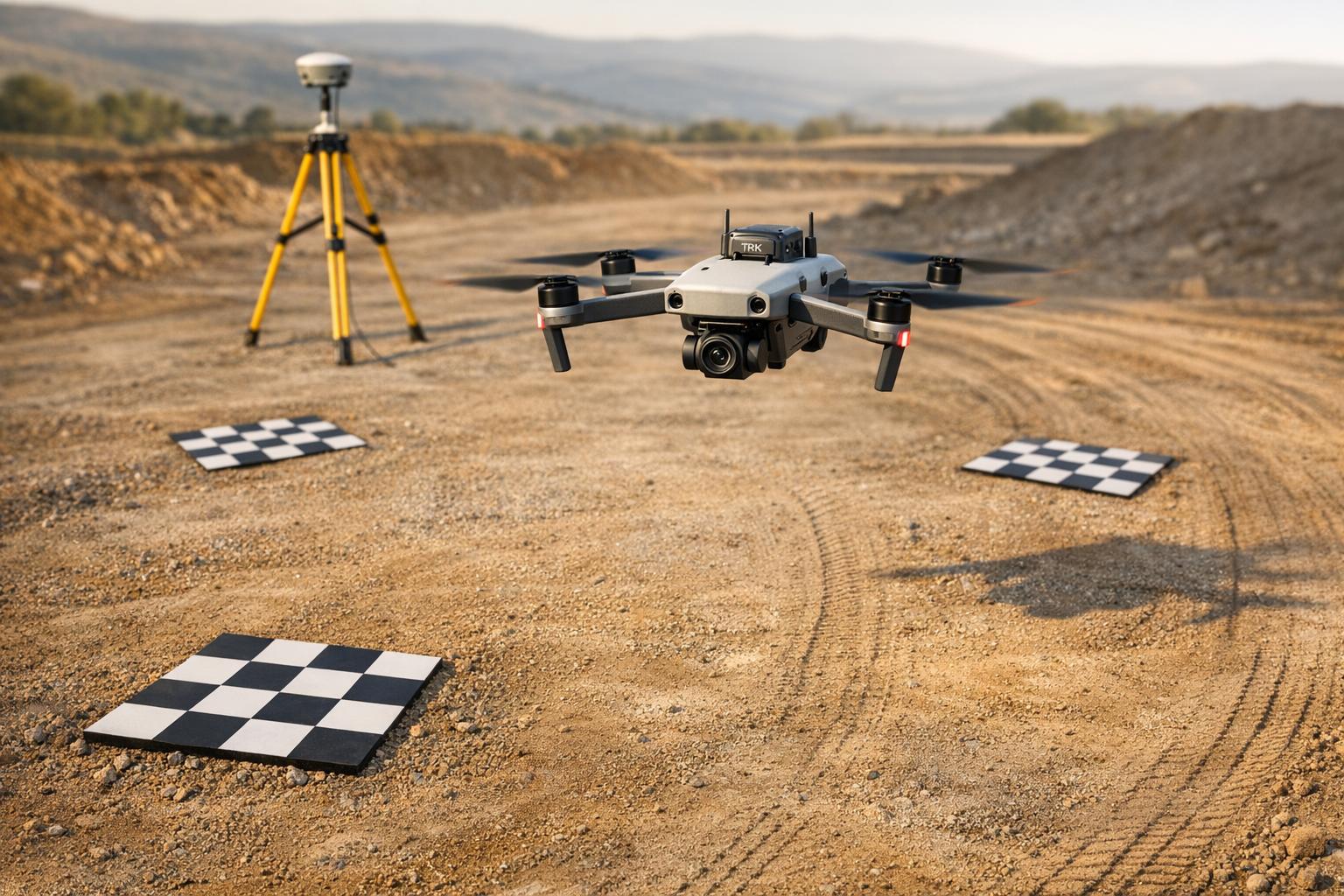
Drone photogrammetry creates precise 3D models by stitching overlapping images captured by drones. When combined with texture mapping, these models display detailed surface features like colors and patterns. Here's what you need to know:
- Photo Grid Workflow: Drones follow programmed paths, capturing high-resolution images with overlapping angles. Ideal for large, static sites, it ensures detailed textures and faster data processing.
- Videogrammetry Workflow: Extracts frames from video footage, offering flexibility but lower texture quality. Best for quick assessments or complex vertical surfaces.
- RTK (Real-Time Kinematic): Provides centimeter-level accuracy during flights but requires a stable connection. Suited for fast results in open environments.
- PPK (Post-Processed Kinematic): Applies corrections after flights, ensuring reliability in areas with poor connectivity. Useful for large-scale or remote projects.
Key Takeaway: Choose workflows and positioning methods based on site conditions and project goals. RTK is faster but connection-dependent, while PPK is reliable for challenging terrains. Both methods enhance texture mapping accuracy for 3D models.
Texture Scanning with a DJI Mavic 2 Pro Drone - by Grzegorz Baran
sbb-itb-ac6e058
1. Photo Grid Workflow
The photo grid workflow relies on drones following systematic, pre-programmed flight paths to capture still images at regular intervals. Picture a lawn-mower pattern: the drone moves along waypoints at a consistent altitude, snapping photos with 80% forward and 70% side overlap. This overlap ensures every part of the site appears in multiple images, which is crucial for stitching software to create accurate, seamless models.
Capture Efficiency
This method shines when it comes to covering large areas quickly. For example, a DJI Phantom 4 RTK flying at 300 feet can map 100 acres in just 20–30 minutes, producing 500–2,000 geotagged images. The grid-based approach eliminates unnecessary frames and reduces motion blur, cutting processing time by 40–50%. It's particularly well-suited for static sites like construction zones or industrial facilities, where consistent texture coverage is essential without wasting time on redundant data.
Texture Quality
The quality of the images directly impacts how realistic your final 3D model will look. Using cameras with 20-megapixel or higher sensors and capturing images during optimal lighting - like during the golden hour to minimize shadows - can produce texture resolutions under 1mm. For example, a case study on a 50x50-meter warehouse achieved 99% coverage with color accuracy above 95% (measured by RMSE) using Agisoft Metashape. Combining nadir (straight-down) shots with oblique angles tilted at 60 degrees ensures vertical surfaces like walls and equipment are captured, which nadir-only flights would miss. High-quality images, paired with accurate geotags, are essential for preserving detail.
Geotagging Accuracy
Precise camera positioning is key to avoiding warping or visible seams in the 3D model’s textures. Using RTK-equipped drones like the DJI Mavic 3 Enterprise RTK, you can achieve geotagging accuracy of 1–2 centimeters. This level of precision ensures images from different flights align within 2 inches, which is especially important for large projects. For surveys conducted over weeks or months, such accuracy maintains consistency and eliminates alignment issues. These precise geotags are critical for seamless texture projection during the modeling process.
Workflow Suitability
Photo grid workflows are ideal for medium to large static sites ranging from 1 to 500 acres. They’re commonly used for industrial surveys, agricultural fields, and heritage documentation. The planned grid ensures complete coverage of complex geometries, such as storage tanks or processing equipment. For instance, a U.S. construction firm reported completing a 10-acre site model 30% faster using this method. The resulting textures were compatible with augmented reality platforms like Anvil Labs, enabling advanced spatial analysis and asset inspection.
2. Videogrammetry Workflow
Videogrammetry involves using continuous video footage to extract individual frames for 3D reconstruction.
Capture Efficiency
Recording video significantly speeds up data collection. However, achieving accurate 3D models still requires maintaining at least 60% horizontal overlap and 70–80% oblique overlap, just like in traditional workflows. While the faster capture process is a clear advantage, it comes with trade-offs, particularly in the quality of the captured frames.
Texture Quality
Frames extracted from video generally have a lower resolution compared to still photographs, which can reduce the level of detail in textures. Additionally, motion during video recording can introduce blur, further impacting the quality of the captured data.
Workflow Suitability
The efficiency of videogrammetry makes it ideal for situations where speed and flexibility are priorities. It works well for tasks like preliminary site assessments or documenting environments where pausing to take individual photos isn't practical. However, when high texture detail is essential - such as in precise asset inspections or for use with platforms like Anvil Labs, known for handling detailed 3D models of industrial sites - a traditional photo grid approach usually provides better results. The trade-offs in frame resolution and texture quality make videogrammetry less suitable for projects that demand the highest level of accuracy in 3D reconstructions.
3. RTK Positioning
RTK (Real-Time Kinematic) positioning delivers centimeter-level accuracy by providing real-time corrections from a base station or an NTRIP network to the drone's GNSS receiver during flight. This process transforms each captured image into what’s referred to as "Sky Control", significantly reducing the need for multiple Ground Control Points (GCPs).
This level of precision ensures highly accurate geotagging for aerial imagery.
Geotagging Accuracy
RTK offers impressive precision, achieving horizontal accuracy of around 1–1.5 cm in open environments. When the system maintains a "Fixed" status, the error margin shrinks to just ±0.8 inches (±2 cm). However, if the communication link between the drone and the base station weakens, the system shifts to "Float" status, where accuracy drops to approximately ±79 inches (±200 cm). Photogrammetry software helps differentiate between "Fixed" and "Float" images, ensuring data quality is clearly categorized.
Capture Efficiency
RTK simplifies workflows by cutting down the time and effort required for setting up physical GCPs. Instead of spending hours placing and measuring control points across a site, real-time corrections handle positioning automatically. This makes RTK especially useful for tasks like construction monitoring and topographic surveys, where quick results are often critical.
Workflow Suitability
RTK performs best when there’s a stable and continuous communication link - whether via radio or cellular connection - between the drone and the base station. For larger areas, NTRIP (Networked Transport of RTCM via Internet Protocol) enables drones to receive corrections through cellular or Wi-Fi networks connected to CORS (Continuously Operating Reference Stations). These stations are widely available in states such as Ohio, California, Texas, and Florida. However, monitoring the "Fix" status throughout the flight is crucial, as any signal disruption can immediately affect accuracy.
Even with the precision RTK provides, it’s a good practice to include a few independent checkpoints to validate the accuracy of your final model. This added step helps ensure high-quality results, particularly in tasks like texture mapping for 3D models.
4. PPK Positioning
PPK (Post-Processed Kinematic) takes a different approach from RTK by applying corrections after the flight is completed. During a mission, the drone logs GNSS data and camera events, which are later matched with base station logs. This method delivers horizontal accuracy within 1–3 cm.
Geotagging Accuracy
Since corrections are applied post-flight, PPK avoids issues caused by signal drops or connection interruptions during the mission. To maintain precise geotagging, use hardware that marks camera events accurately and ensure proper lever-arm calibration (measuring the offset between the GNSS antenna and the camera). This helps prevent alignment problems and texture errors like ghosting.
Workflow Suitability
PPK shines in areas where maintaining a stable data connection is tough - think urban canyons, dense forests, or remote locations with poor cellular coverage. While it requires processing time after the flight, this trade-off boosts field efficiency by removing the need for constant radio or cellular links. This makes PPK especially useful for long-range missions and environments prone to multipath interference caused by buildings, trees, or water. These factors are essential when planning flight parameters for accurate texture mapping.
Capture Efficiency
To get the best results for texture mapping, plan your flights with at least 80% overlap between images. During post-processing, make sure to measure and apply lever-arm offsets on all three axes to ensure proper image alignment. Although PPK reduces the stress of maintaining connectivity in the field, it does require additional processing of GNSS logs after the mission.
RTK vs. PPK: Impact on Texture Mapping

RTK vs PPK Positioning Methods for Drone Photogrammetry Comparison
This section dives into how RTK and PPK workflows influence texture mapping quality, building on their key differences in positioning and correction timing.
The primary distinction between RTK and PPK lies in when corrections are applied - RTK works in real time, while PPK processes data post-flight. This timing difference can significantly affect the precision of texture mapping. For example, RTK relies on a constant data link to provide immediate geotags. If the signal drops, accuracy can plummet from ±2 cm to as much as ±200 cm, leading to misaligned or ghosted textures in 3D models.
On the other hand, PPK records raw GNSS data during the flight and applies corrections afterward. This makes PPK much more reliable in areas where signals are obstructed by buildings, trees, or challenging terrain. As one expert puts it, "PPK is more robust in areas with poor signal (urban canyons, dense forests)". While RTK typically achieves 1–1.5 cm horizontal accuracy in open environments, PPK maintains a consistent accuracy of 1–3 cm, even under suboptimal conditions.
| Feature | RTK | PPK |
|---|---|---|
| Correction Timing | Real-time during flight | Post-flight in the office |
| Connection Requirement | Constant radio/cellular link | No live link needed |
| Reliability | Vulnerable to signal dropouts | Highly robust against data loss |
| Baseline Range | Limited (approx. 35 km) | Extended (up to 100 km) |
| Workflow Speed | Faster on-site results | Extra office processing time |
The table outlines the main differences that impact texture mapping performance. RTK's dependency on a steady connection can result in inconsistent geotags, potentially causing alignment issues in your dataset. In contrast, PPK processes the entire flight's data holistically, effectively filling in any gaps caused by signal loss.
"RTK is built for speed, while PPK is built for reliability - your choice depends on site conditions and how quickly you need results." - DroneDeploy
For open areas with strong connectivity and a need for rapid results, RTK is a practical choice. However, in complex environments like urban canyons, dense forests, or remote locations with poor signal, PPK ensures better texture mapping accuracy. Regardless of the method, using Ground Control Points to validate results is always a good practice.
Selecting the right positioning method is key to achieving detailed, realistic 3D models and optimizing texture mapping outcomes.
Advantages and Disadvantages
When it comes to texture mapping quality, the choice of positioning method plays a crucial role. Each approach - RTK and PPK - has its own set of strengths and limitations, impacting factors like speed, reliability, and cost.
RTK (Real-Time Kinematic) is known for delivering on-the-spot, highly accurate geotags, which makes it perfect for projects with tight deadlines, such as construction tracking or emergency responses. The immediate results are a huge advantage. However, RTK's Achilles' heel is its dependency on a constant radio or cellular connection. If that connection drops, accuracy can plummet from about ±2 cm (fixed solutions) to as much as ±200 cm (float solutions). This can result in misaligned textures in 3D models.
PPK (Post-Processed Kinematic), on the other hand, trades speed for reliability. By applying corrections after the flight, PPK eliminates the need for a live data link, which makes it more capable of handling signal obstructions - whether you're dealing with dense forests, urban environments, or remote locations. It also supports longer baselines, extending the effective range and offering greater flexibility for large-scale projects. The downside? PPK demands specialized software and at least 10 minutes of flight time for accurate corrections, along with additional processing time that can slow down workflows.
Here’s a breakdown of their strengths and weaknesses:
| Feature | RTK Strengths | RTK Weaknesses | PPK Strengths | PPK Weaknesses |
|---|---|---|---|---|
| Speed | Instant results, minimal office work | - | - | Requires post-processing time |
| Accuracy | Approximately 1–1.5 cm horizontal | Degrades to ±200 cm if the link fails | Approximately 1–3 cm horizontal, robust | - |
| Connectivity | - | Requires constant radio/cellular link | Works offline | - |
| Range | - | Limited to roughly 35 km baseline | Up to approximately 100 km baseline | - |
| Cost | - | Ongoing NTRIP/CORS subscription fees | - | Additional software and labor costs |
The decision between RTK and PPK often comes down to the project's specific needs and conditions. For example, RTK shines in open areas with good connectivity, while PPK is better suited to environments where reliability is essential, such as large-scale mapping or areas with poor network coverage.
Cost is another factor to weigh. RTK typically involves recurring subscription fees for NTRIP networks, whereas PPK incurs costs for software licenses and the extra labor required for post-processing. Despite these differences, both methods can produce high-quality texture mapping results when used in the right conditions.
"PPK is the safer bet when reliability and precision are critical, such as in large‐area mapping or when network connectivity is spotty".
Conclusion
Choose the photogrammetry workflow that aligns with your project's scale and specific requirements. Photo Grid workflows offer up to 98% texture fidelity, making them ideal for smaller, detail-focused projects under 5 acres, such as architectural surveys or archaeological sites. Combining this method with RTK positioning ensures real-time accuracy, reducing the need for re-flights by 20-40%. On the other hand, for larger areas exceeding 50 acres or environments with signal challenges, Videogrammetry with PPK provides a balance of speed and reliability. This approach achieves 90% coverage efficiency and maintains 92% texture alignment, even in tough terrains like dense forests or urban canyons. While it sacrifices some per-frame resolution, the time savings - ranging from 20-50% - make it an excellent choice for tasks like infrastructure mapping, agricultural surveys, and pipeline inspections.
RTK excels in open areas, delivering high accuracy, while PPK is better suited for environments where maintaining signal strength is difficult.
Once high-fidelity 3D models are created, managing and sharing them efficiently becomes essential. Anvil Labs offers a robust platform for hosting, viewing, and collaborating on these models across devices. The platform supports diverse data types, including LiDAR, orthomosaics, and thermal imagery, and provides annotation tools for texture validation. Secure sharing features further simplify workflows for industries like construction, mining, and industrial site management, enabling teams to seamlessly review RTK or PPK outputs.
FAQs
How do I decide between photo grids and videogrammetry for my site?
When deciding between photo grids and videogrammetry, think about your project’s objectives and the level of detail you need.
- Photo grids work best when you need high-resolution, textured 3D models or orthomosaics. They’re the go-to choice for tasks like detailed mapping and inspections where precision matters most.
- Videogrammetry, on the other hand, is quicker and better suited for covering large areas or capturing dynamic environments. However, it doesn’t provide the same level of texture detail as photo grids.
In short, choose photo grids for accuracy and detail, while videogrammetry is your ally for speed and covering extensive or changing landscapes.
When should I choose RTK vs PPK to avoid texture misalignment?
When you need real-time positioning and have a reliable connection, go with RTK. On the other hand, choose PPK for remote or tough environments where post-processing delivers better accuracy, reducing the risk of texture misalignment.
What flight settings most improve texture sharpness and coverage?
To get sharper textures and better coverage in your drone photogrammetry projects, aim for high image overlap - about 70–80% for front overlap and 60–70% for side overlap. Flying at an optimal altitude, usually around 200 feet, is also crucial. While flying lower can give you sharper textures, it will extend your flight time.
Make sure your camera is calibrated and that lighting remains consistent throughout the flight. These factors - proper settings, stable lighting, and accurate calibration - play a big role in achieving detailed and clear textures in your photogrammetry workflows.

.svg)


