

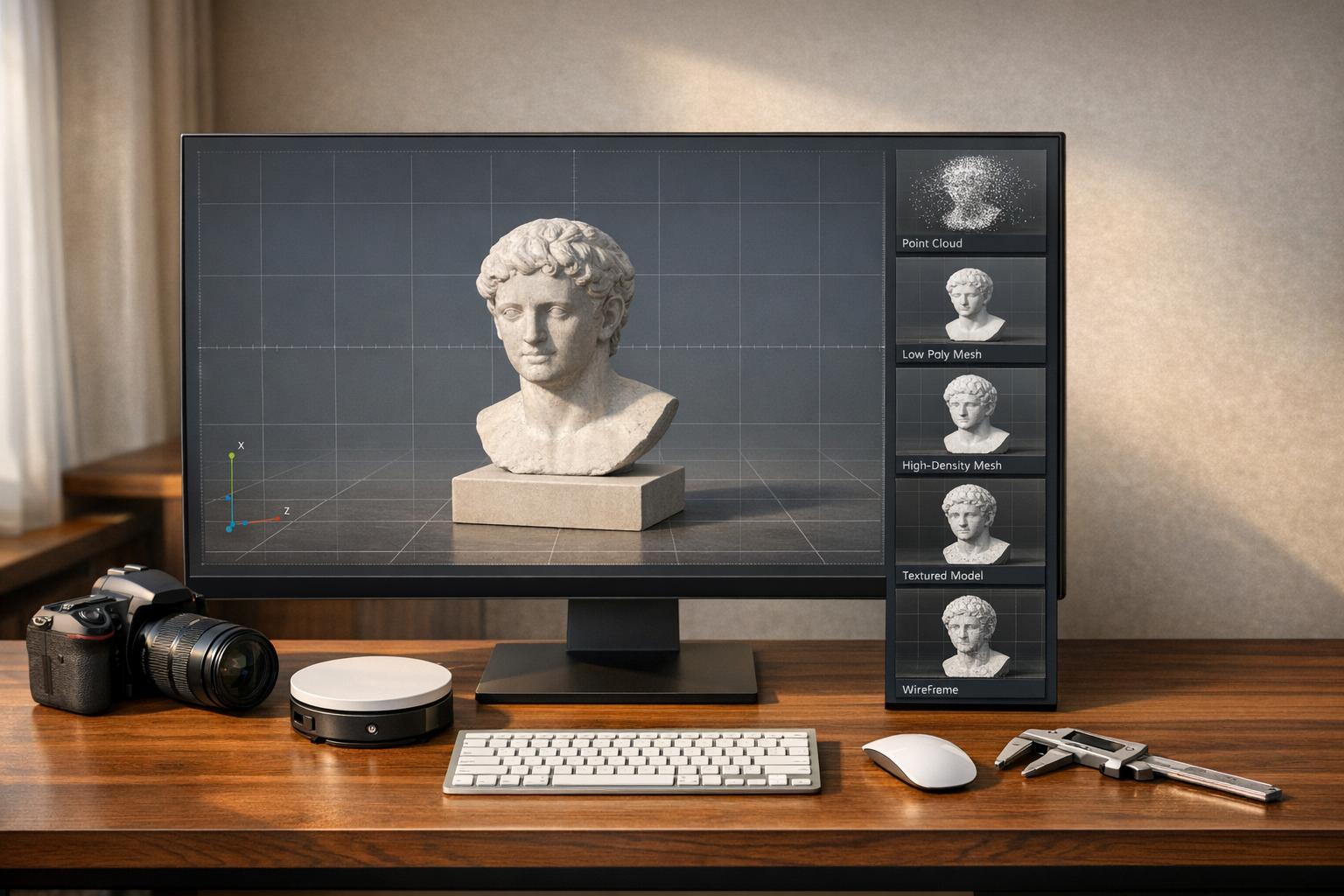
Photogrammetry software turns 2D images into 3D models, widely used in industries like surveying, construction, and VFX. This article compares five leading desktop tools to help you choose the right one based on speed, accuracy, pricing, and features.
Key Takeaways:
- Agisoft Metashape: Best for precision and detailed control. Costs $179–$3,499 (perpetual license).
- RealityCapture: Fastest for large datasets. Pricing starts at $1,250/year or $3,750 (perpetual license).
- Pix4D: Optimized for drone workflows. Pricing is $350/month or $4,990 (perpetual license).
- 3DF Zephyr: Beginner-friendly with flexible options. Free version available; Pro version costs ~$4,200.
- Meshroom: Free, open-source, ideal for education and research. Requires NVIDIA GPU.
Quick Comparison:
| Software | Accuracy | Speed | Platform Support | Pricing Model | Best Use Case |
|---|---|---|---|---|---|
| Agisoft Metashape | High | Fast | Windows, macOS, Linux | $179–$3,499 (perpetual) | Surveying, archaeology, mining |
| RealityCapture | High | Very Fast | Windows | $1,250/year or $3,750 | Large datasets, VFX, city mapping |
| Pix4D | High | Moderate | Windows, Cloud | $350/month or $4,990 | Drone mapping, agriculture, mining |
| 3DF Zephyr | Moderate | Slow | Windows | Free–$4,200 | Beginners, object scanning |
| Meshroom | High | Moderate | Windows, Linux | Free | Education, research, budget projects |
Each tool has strengths tailored to specific needs. Read on for in-depth comparisons and recommendations based on your project size, budget, and hardware.

Desktop Photogrammetry Software Comparison: Features, Pricing, and Best Use Cases
Which photogrammetry tool is the best ? (3DF Zephyr, Metashape, Reality Capture, Meshroom)
sbb-itb-ac6e058
Agisoft Metashape: High Accuracy for Professional Work
Agisoft Metashape offers users unparalleled control over photogrammetry workflows. Unlike fully automated tools, this software allows you to fine-tune every parameter, from alignment accuracy to depth filtering and rolling shutter corrections. This level of customization makes it a favorite among archaeologists, researchers, and specialists in preserving historical artifacts, where capturing intricate details is a top priority.
Main Features
Metashape provides impressive resolutions - down to 1 mm (0.04 inches) for close-up projects and up to 3 cm (1.2 inches) for aerial work. The Professional Edition includes advanced georeferencing capabilities, such as Ground Control Points (GCPs), RTK/PPK positioning data, and flight log integration, ensuring survey-grade accuracy . It even supports LiDAR by merging images with terrestrial laser scans and aerial LiDAR data, automatically reducing noise and refining point clouds.
For users looking to customize their workflows, Metashape offers a robust Python API and Java bindings . The software is compatible with Windows, macOS, and Linux systems, including Debian and Ubuntu distributions .
Metashape can handle massive datasets - up to 50,000 photos - through distributed network processing. It supports a wide range of coordinate systems from the EPSG registry, like WGS84 and UTM, and exports to professional formats such as LAS/LAZ, GeoTIFF, OBJ, FBX, and 3D PDF . Licensing options include a one-time fee ($3,370 for the Professional Edition, $169 for the Standard Edition), discounted educational licenses, and a 30-day free trial.
These features make Metashape a go-to solution for professionals needing top-tier accuracy and detail.
Best Use Cases
Metashape’s precision and customizable workflow are invaluable in fields like surveying, archaeology, environmental monitoring, mining, forensics, and historical preservation .
However, it’s worth noting that the software demands powerful hardware. Extensive projects typically require 64 GB to 128 GB of RAM and an NVIDIA CUDA-enabled GPU. For professionals seeking long-term value without subscription costs, Metashape’s perpetual licensing model is an appealing option.
RealityCapture: Fast Processing for Large Projects
RealityCapture stands out for its speed. While other tools may focus on precision and customization, this software is designed to handle massive datasets at lightning-fast speeds - often 5–10 times quicker - thanks to NVIDIA CUDA GPU acceleration and optimized algorithms. This makes it a go-to option for professionals working on large-scale projects like city mapping, industrial sites, or VFX production, where meeting tight deadlines is crucial.
It supports both photogrammetry and laser scan data in a single workflow, accommodating formats like E57, LAS, LAZ, and PTX. This hybrid capability combines the geometric precision of laser scanning with the detailed textures from high-resolution images.
Core Features
RealityCapture’s impressive speed comes from its out-of-core processing system. This approach means tasks like meshing, coloring, and texturing are carried out directly from the storage drive, allowing it to manage over 10,000 high-resolution images even on mid-range systems with 16–32 GB of RAM. Competing software might struggle with datasets of this size.
In benchmark tests, using 57 high-resolution photos, the "Normal" preset generated a model with 6.4 million polygons in just 15.5 minutes. For a quicker preview, the "Preview" mode created a sparse 3D model in just 4 minutes. The software also scales predictably - doubling the dataset usually results in a proportional increase in processing time, avoiding the exponential slowdowns seen in other tools.
RealityCapture supports exporting to professional formats like OBJ, FBX, E57, LAS, and GeoTIFF, ensuring compatibility with CAD and BIM platforms like Revit and AutoCAD. For advanced users, the Command Line Interface (CLI) enables scripting for multi-step workflows, making it ideal for handling large-scale industrial or urban projects.
The pricing structure offers flexibility:
- Pay-Per-Input (PPI): Around $0.01 per image.
- Perpetual credit pack: $3,750 for 3,750 credits.
- Free access: Available to eligible students and small businesses.
- Annual subscription: Approximately $1,250, catering to larger operations.
However, the software runs exclusively on Windows and requires an NVIDIA GPU with at least 4 GB of VRAM (an RTX 3080 or higher is recommended). A fast NVMe SSD is also essential to handle its out-of-core processing.
These features make RealityCapture a powerful option for projects that demand both speed and scalability.
When to Use It
RealityCapture shines in scenarios where speed and scale are critical. Urban planners mapping large city areas, industrial managers creating digital twins, and VFX studios developing photorealistic assets can all benefit from its ability to process vast datasets quickly. Its capability to merge aerial imagery, ground-level photos, and laser scans into a cohesive 3D model is particularly useful for infrastructure projects that need precise measurements alongside detailed visuals.
That said, it’s not the best fit for macOS or Linux users, or for those who require the granular parameter adjustments found in other photogrammetry tools, especially for scientific research. RealityCapture is aimed at professionals working on Windows systems who need to process large amounts of data efficiently.
Pix4D: Built for Drone Workflows
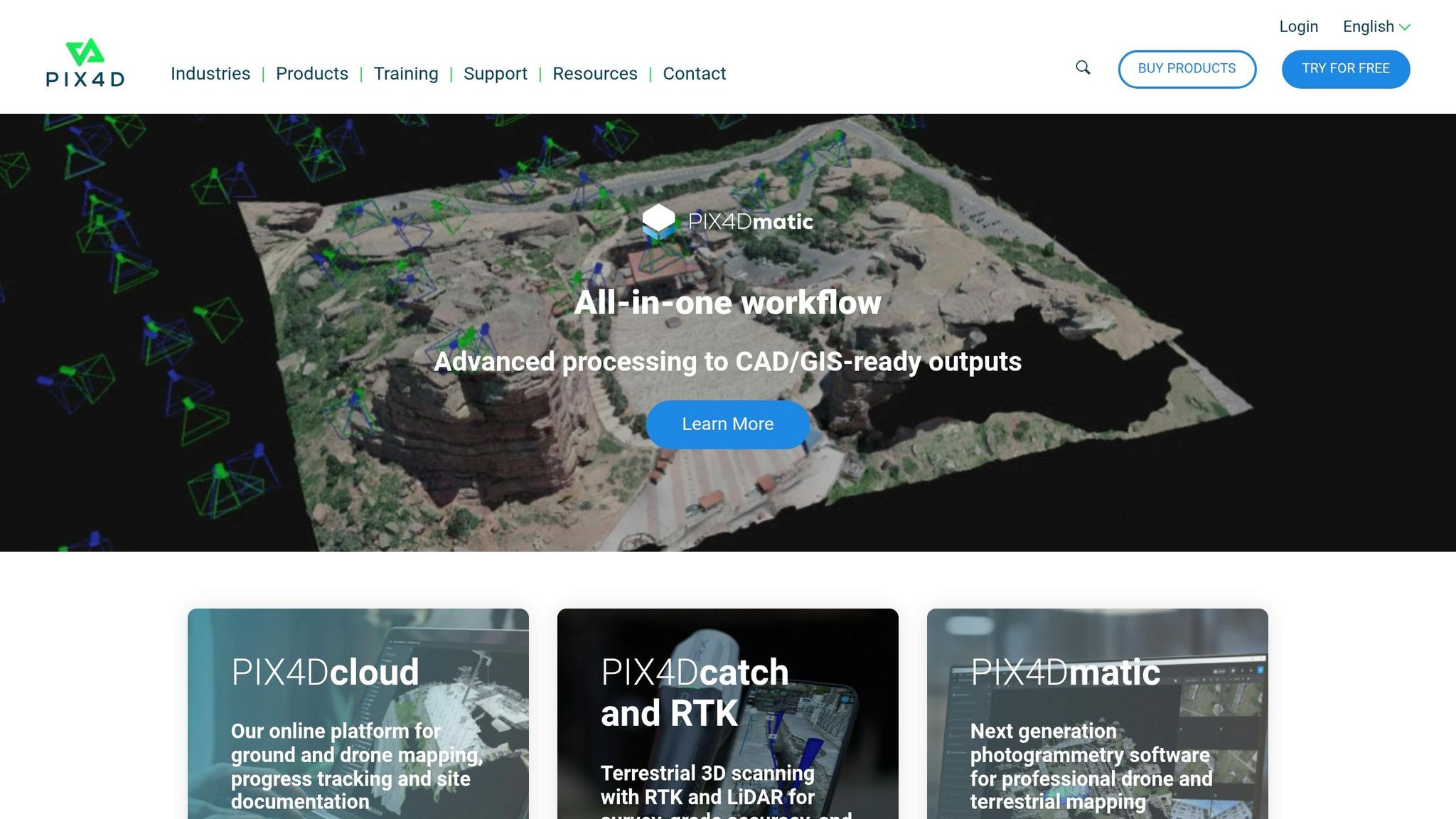
Pix4D is specifically designed to enhance drone workflows, offering both precision and speed. When paired with Ground Control Points (GCPs) or drones equipped with RTK/PPK technology, the software delivers absolute accuracy within 1–2 cm - meeting the rigorous standards of professional engineering and surveying.
Pix4D provides several specialized modules tailored to different use cases: PIX4Dmapper for standard mapping, PIX4Dmatic for handling large datasets (processing up to 40% faster), PIX4Dfields for agricultural insights, and PIX4Dreact for emergency response mapping.
Drone-Specific Features
Pix4D's unique rayCloud environment connects each point in a 3D reconstruction back to its original drone image. This feature allows users to visually verify results and manually adjust tie points for greater accuracy. Its RTK/PPK support ensures centimeter-level precision without requiring extensive GCP placement.
The software is compatible with various imagery formats, including RGB, thermal, multispectral, fisheye, and 360°. For advanced applications, PIX4Dmatic can integrate LiDAR point clouds with photogrammetry data, supporting sensors like the DJI Zenmuse L3. Additionally, its machine learning-powered point cloud classification can differentiate between vegetation, buildings, and ground surfaces automatically.
Pricing depends on the product: PIX4Dmapper costs about $350 per month or $4,990 for a perpetual license, while PIX4Dmatic is priced at approximately $500 per month. For those needing cloud collaboration, PIX4Dcloud starts at $99 per month.
"PIX4Dmatic offers us precision, speed, and ease of use. With a single software suite, we can extract valuable information for tourism, risk management, and urban planning in a matter of hours."
- José Alfredo Betancourt, Operational Manager, JAB Visual Ltda
These features make Pix4D a powerful tool for professionals across a range of industries.
Application Areas
Pix4D is extensively used in surveying and engineering, seamlessly integrating with CAD and BIM platforms like AutoCAD, Civil 3D, and Revit. It supports over 20 export formats, making it ideal for tasks like topographic mapping, site planning, and earthworks analysis. In construction, teams rely on it for volumetric measurements and cut/fill analysis, while mining operations use it for certified stockpile reports and earthwork verification.
Agriculture is another key sector where Pix4D shines. PIX4Dfields processes multispectral imagery to create vegetation health maps and variable rate prescription files. For instance, Wells for Zoe utilized PIX4Dmapper to map reforestation efforts in Malawi, documenting tree planting locations and showcasing environmental impact for stakeholders. In another example, a land surveyor used PIX4Dmatic to process over 11,000 images and map a 1,500-acre golf course in just three weeks.
Offline desktop processing is a standout feature, especially for secure or remote sites where internet access is limited, or sensitive data must remain local. By combining desktop processing with optional cloud collaboration, Pix4D meets the needs of public safety agencies, government projects, and organizations with strict data security requirements.
3DF Zephyr: Professional Features with Easy Access
3DF Zephyr combines professional-grade capabilities with a user-friendly interface. Developed by 3DFLOW, this software has been referenced in over 100 academic papers, showcasing its technical reliability. Its tiered licensing options cater to a wide audience, from hobbyists to professionals. The free version supports up to 50 photos, while the professional edition offers a perpetual license for approximately $4,200.
The software works seamlessly with NVIDIA CUDA and OpenCL, ensuring compatibility with AMD and Intel graphics cards. For professionals, it offers advanced tools for measuring volumes (including hollow spaces like tunnels), areas, and 3D metrics using Ground Control Points. It also supports hybrid datasets, allowing users to combine photographs with laser scan data in formats like .fls and .fws.
Let’s dive into the advanced features that set 3DF Zephyr apart.
Key Features
One standout feature is its ability to transform videos into 3D models. The software automatically extracts high-quality frames from video files. For example, in July 2017, tech reviewer Nick Lievendag used 3DF Zephyr to reconstruct a vintage Agfa Clack camera. Using 149 photos, the "Default" quality setting produced a 250,000-polygon model in 1.5 hours, while the "Ultra" setting generated 2.3 million polygons over 8 hours.
"The interface is well-designed and works especially well on wide screens... it reminds me the most of Cinema 4D, my 3D editing suite of choice."
- Nick Lievendag, Reviewer, 3D Mag
The Professional version includes robust CAD and surveying tools, enabling users to draw polylines, splines, and surfaces directly on 3D models. It also supports automatic contour line generation in DXF format. Additional tools include 3DF Masquerade for automatic image masking and 3DF Scarlet for professional laser scan registration. For those needing automation, XML-based batch processing and scripting options allow for task customization.
| Feature | Zephyr Free | Zephyr Lite | Zephyr Professional |
|---|---|---|---|
| Photo Limit | 50 Photos | Unlimited | Unlimited |
| GPU Support | Single GPU | Double GPU | Multi-GPU |
| Laser Scan Support | Viewer Only | Viewer Only | Full Registration (3DF Scarlet) |
| Export Formats | OBJ, PLY | OBJ, PLY, FBX | All + PDF3D, DXF, LAS, E57 |
| GIS/Surveying | No | No | Orthophotos, DEMs, GCPs |
| Automation | No | No | Python Scripting, Batching |
Who Should Use It?
3DF Zephyr’s features make it appealing to a diverse range of users. The free version is perfect for hobbyists and students exploring photogrammetry, while the Lite version ($199 + tax) is ideal for creatives needing high-quality textured meshes for projects like game assets or digital twins. A 2025 comparison highlighted Zephyr’s efficiency, achieving solid alignment from 60 photos faster than its competitors.
"Think of Zephyr as the 'get me to results already' option. The interface is friendly, the setup is minimal, and you don't need to be a GIS wizard to get something decent out of it."
- Ryan, Author, Vagon
For engineers and surveyors, the Professional version offers full GIS capabilities, orthophoto generation, and laser scan integration, making it suitable for tasks like topographic mapping and site documentation. Beginners can utilize its "Reconstruction with Presets" feature (Aerial, Close Range, Human Body, Urban) for simplified workflows, while advanced users have the option to fine-tune reconstruction parameters. However, its dense point cloud generation is slower compared to RealityCapture.
3DF Zephyr strikes a balance between advanced tools and accessibility, making it a compelling choice for both newcomers and seasoned professionals.
Meshroom: Free and Open-Source
Meshroom stands out as a completely free option for 3D reconstruction. Built on the AliceVision framework, it delivers professional-grade results without any licensing fees or usage restrictions. The software uses a node-based visual workflow, where each node represents a specific step - like feature extraction, meshing, or texturing - allowing users to visually configure and customize their processing pipelines.
"Meshroom is an open-source, node-based visual programming framework - a flexible toolbox for creating, managing, and executing complex data processing pipelines."
- AliceVision
Meshroom officially supports Windows and Linux, with unofficial community builds available for macOS. In February 2026, AliceVision collaborated with the French Musée d'Archéologie National to introduce tools tailored for archaeological digitization. These included features like manual anchor points for challenging matches and better alignment of fragmented objects. These updates have made Meshroom a standout choice in academic and budget-conscious environments.
That said, Meshroom does have a key limitation: it requires an NVIDIA CUDA-enabled GPU for most processing tasks, which restricts its compatibility with certain hardware setups. A 2025 performance test using a "Styracosaurus" dataset showed that Meshroom 2025.1 could generate a fully textured model in 24 minutes and 5 seconds. While this performance is solid, it’s not the fastest compared to some commercial tools. Still, the CUDA dependency aligns with the hardware expectations of desktop photogrammetry software.
Main Features
Meshroom’s node-based architecture is one of its defining characteristics. This system allows users to visually link operations, where the output of one node feeds directly into the next. This approach offers precise control, which is especially valued in research and academic settings. Another time-saving feature is its ability to cache intermediate results, meaning changes only require recalculating the affected parts of the workflow.
"The workflow feels like dragging nodes around in Blender's shader editor, you build your pipeline visually."
- Mert Boz, Vagon
The software also supports distributed execution, meaning users can tap into render farms for large-scale projects. The 2025.1 update introduced pre-configured node graphs, such as the "Photogrammetry Object" setup, which simplifies common workflows by reducing the need for manual node placement. For best results, datasets with 50 to 200 images are recommended, as using over 1,000 images can cause instability or significantly slow down processing. These features make Meshroom an appealing choice for researchers and users with specialized needs.
Best Fit
Meshroom is a perfect fit for educational purposes, thanks to its free and modifiable nature. It’s particularly well-suited for academic researchers, students, and developers who need transparency and the ability to tweak algorithms. Small teams and hobbyists can also take advantage of its capabilities without worrying about budget constraints.
"Current photogrammetry is like choosing between public transport and a private vehicle: different speeds and comforts, but the final destination is the same quality 3D model."
- Foro3D
For more complex projects where automatic methods fall short, the 2026 updates introduced tools like manual anchor points and 2D primitive drawing to improve reconstruction accuracy. While commercial tools like Agisoft Metashape can cost anywhere from $179 to $3,499, Meshroom offers a cost-free alternative with professional-grade results, making it a great choice for users who prioritize flexibility and customization over sheer speed.
Feature Comparison Table
When comparing photogrammetry tools, it’s clear that each one shines in specific areas. RealityCapture is unmatched in processing speed, while Agisoft Metashape is often praised for its precision, making it a favorite for professional-grade accuracy. Pix4Dmapper caters to drone operators with features tailored for mapping and agriculture, and 3DF Zephyr simplifies photogrammetry for beginners with its straightforward interface. Meanwhile, Meshroom stands out as the only completely free option without commercial limitations. These distinctions make it easier for professionals to choose the right tool for their needs.
Pricing is another key consideration. Each tool offers distinct pricing models:
- Agisoft Metashape: Standard License at $179, Professional License at $3,499, and educational versions ranging from $59 to $549.
- RealityCapture: Unlimited License for $3,750 or $1,250 annually, with a Pay Per Input (PPI) option at $10 per 3,500 credits.
- Pix4Dmapper: $350 monthly (or $292/month with an annual plan), or a perpetual license for $4,990.
- 3DF Zephyr: Free version (limited to 50 photos) or a perpetual license up to €3,900.
Here’s a quick side-by-side comparison of the tools:
| Software | Accuracy | Processing Speed | Platform Support | Pricing Model | Best Use Case |
|---|---|---|---|---|---|
| Agisoft Metashape | High | Fast | Windows, macOS, Linux | Perpetual ($179–$3,499) | Professional surveying, cultural heritage |
| RealityCapture | High | Very Fast | Windows | Subscription / PPI ($1,250/year or $3,750) | VFX, game assets, large-scale datasets |
| Pix4Dmapper | High | Moderate | Windows, Cloud | Subscription / Perpetual ($350/month or $4,990) | Drone mapping, agriculture, construction |
| 3DF Zephyr | Moderate | Slow | Windows | Free / Perpetual (€3,900 max) | Beginners, object scanning, simple workflows |
| Meshroom | High | Moderate | Windows, Linux | Free (Open Source) | Education, R&D, budget-limited projects |
Platform compatibility also varies. Agisoft Metashape supports Windows, macOS, and Linux, making it the most versatile. However, it requires at least 32 GB of RAM for optimal performance. RealityCapture, Pix4Dmapper, and 3DF Zephyr are Windows-exclusive, though Meshroom works on both Windows and Linux (with unofficial macOS builds available from the community). Notably, RealityCapture can function with as little as 6 GB of RAM and benefits from NVIDIA GPU acceleration, making it a practical choice for users with lower-spec hardware.
Trial periods provide an opportunity to test these tools before making a commitment:
- Agisoft Metashape: 30-day trial.
- RealityCapture: Trial available through its PPI mode.
- Pix4Dmapper: 15–25 day trial.
- 3DF Zephyr: 14-day trial.
Additionally, both Agisoft Metashape and Pix4Dmapper offer cloud processing capabilities, allowing users to handle resource-intensive tasks without relying heavily on local hardware.
How to Choose the Right Tool
What to Consider
When selecting a photogrammetry tool, a few key factors can guide your decision. For solo creators and students, Meshroom or 3DF Zephyr Lite are popular choices. On the other hand, enterprises working with massive datasets often lean toward RealityCapture, which integrates well into complex workflows. The scale of your projects and the size of your team should influence your choice.
Another major consideration is the balance between accuracy and speed. RealityCapture stands out for its fast processing capabilities, making it a go-to for industries like VFX and game asset creation where quick turnarounds matter. Meanwhile, Agisoft Metashape is favored in scientific and professional mapping due to its precise geometric accuracy and options for manual adjustments.
You’ll also want to assess data source compatibility. If your work involves combining DSLR photos with drone imagery, LiDAR, or laser scans, tools like RealityCapture and 3DF Zephyr are equipped to handle such integrations.
Ease of use is another factor to weigh. Tools like 3DF Zephyr and Artec Studio offer guided workflows designed for users without technical expertise. In contrast, Metashape and RealityCapture require more familiarity with technical settings to get the most out of them.
Lastly, consider your hardware. Photogrammetry software often demands a powerful setup. For example, RealityCapture performs best with a high-end NVIDIA GPU, while Metashape requires plenty of RAM. Additionally, while most tools are Windows-only, Metashape supports cross-platform use [3,5].
Budget and Licensing Options
Licensing options typically fall into four categories: perpetual licenses (one-time purchase), subscriptions (monthly or yearly), pay-per-input (PPI), and free or open-source models. For organizations looking for long-term savings, perpetual licenses like those for Agisoft Metashape are a solid choice. For short-term or occasional use, RealityCapture’s PPI model or monthly subscriptions from tools like Pix4D might be more cost-effective.
If cost is a concern, Meshroom is a completely free option, though it may require more technical effort to troubleshoot. Hobbyists and individual creators might find 3DF Zephyr Lite (around €149) or Agisoft Metashape Standard ($179) to be affordable and practical. For larger-scale projects, RealityCapture’s pay-per-input model offers flexibility and competitive pricing.
Most premium tools provide trial periods, so you can test before committing. For instance, Metashape and 3DF Zephyr offer 30-day trials, Pix4D provides a 25-day trial, and RealityCapture allows free processing but charges only when exporting data. Additionally, ensure the software supports standard export formats like LAS, OBJ, or DXF to integrate smoothly with GIS, CAD, or 3D modeling tools. Choose a licensing model that fits your budget and workflow to get the most out of your photogrammetry tool.
Conclusion
Picking the right photogrammetry software boils down to aligning its capabilities with your specific needs. As Foro3D aptly put it, "The choice between these options fundamentally depends on the available budget, delivery deadlines, and required level of detail". There’s no one-size-fits-all solution; each tool shines in particular scenarios.
For commercial drone services that demand consistent, shareable results, Pix4D is a strong contender. If you’re a solo researcher or artist looking for precise control and prefer a one-time purchase, Agisoft Metashape delivers exceptional accuracy and flexibility. When speed is the top priority for handling massive datasets, RealityCapture is the go-to choice.
For users who value a guided, user-friendly experience or need to work with both photos and laser scan data, 3DF Zephyr strikes a great balance. And if you’re new to photogrammetry or working with limited funds, Meshroom offers a reliable, free starting point to build your skills.
These recommendations tie back to the detailed comparisons above, emphasizing how important it is to match software strengths with your project’s requirements. Don’t forget - your hardware setup and the scale of your project are just as critical as the tool itself. By carefully considering these factors, you’ll be well-equipped to create high-quality 3D models efficiently.
FAQs
How many photos do I need for a good 3D model?
To craft a high-quality 3D model, you'll generally need anywhere from dozens to hundreds of photos. The exact number varies based on how complex the object is and the level of detail you're aiming for. The more intricate the model, the more images you'll likely need to ensure precise reconstruction.
What PC specs matter most for faster reconstructions?
For quicker photogrammetry reconstructions, prioritize a CPU with many cores, a high-performance GPU, and fast NVMe SSD storage. The CPU manages demanding processing tasks, while software that uses GPU acceleration thrives with a strong graphics card. Fast NVMe storage ensures speedy data read and write operations. Focusing on these components can make a noticeable difference, especially when working with large datasets.
Which tool is best if I need survey-grade measurements?
For survey-grade measurements, Pix4D stands out as a leading option. Known for its sub-centimeter accuracy, it’s perfect for industries that demand extremely precise survey data. Whether you prefer desktop or cloud processing, Pix4D provides advanced tools to ensure you meet strict accuracy requirements. Its emphasis on precision makes it a dependable choice for achieving top-tier results.

.svg)


